Use a video when the sequence matters and you want everyone to see the same explanation. Use an interactive demo when understanding depends on making a choice, changing a value, or comparing alternatives. For a sales page or exhibition, a short video can introduce the idea while an interactive view answers the visitor's next question.
What should the buyer understand?
Write a sentence describing the decision you want to help someone make. For example: “I need to know whether this configuration fits my space,” or “I want to see how the cost changes when we increase volume.” These are illustrative briefs. They call for different experiences from “show me how the installation works.”
If one explanation answers the question, a video may be enough. If the answer changes with the buyer's situation, a controlled interaction can let them inspect that difference.
| Visitor's task | A useful starting format |
|---|---|
| Watch a physical process in a fixed order | Video with captions and playback controls |
| Inspect a product from several viewpoints | An interactive view with clearly named parts |
| Compare a small set of configurations | A selector with an explanation of what changes |
| Understand figures in a report | A readable summary with an optional interactive comparison |
| Get the main message while walking past a display | A brief visual sequence, followed by a clear invitation to explore |
Keep the first interaction small
Start with one meaningful choice. Give it a useful default so the page already explains something before a visitor touches it. When a value changes, make the consequence visible beside the control.
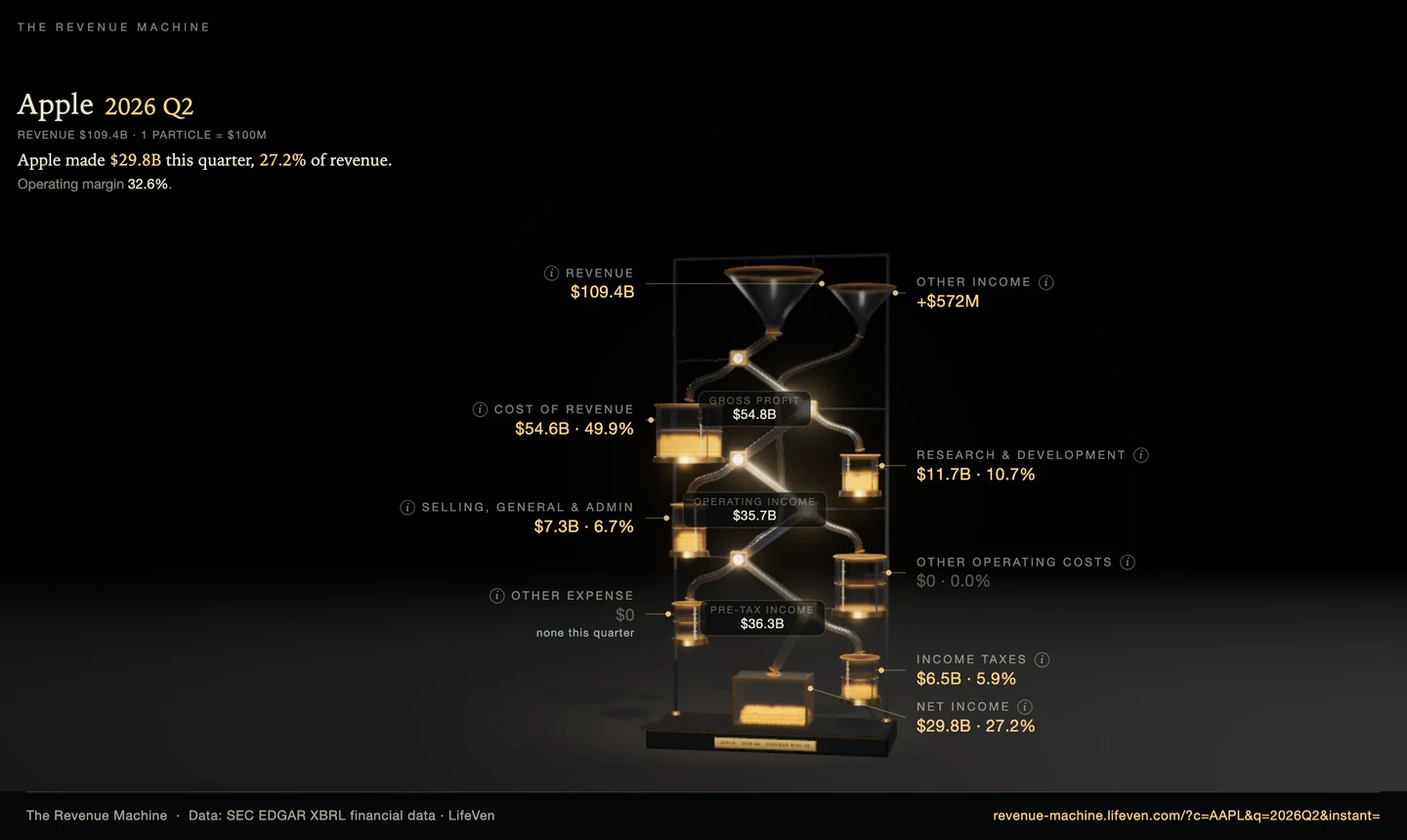
Try The Revenue Machine, our studio-built demonstration of quarterly revenue flowing into costs, taxes, and profit. The relevant design question is which comparison a viewer can make for themselves and what explanation needs to remain visible.
A product demo needs the same discipline. A view with dozens of controls may expose more features while making the product harder to understand. Prototype the decision you most want to support first.
Plan for where it will run
A sales representative's laptop, a customer's phone, and a trade-show touchscreen have different input methods and viewing conditions. Specify the intended screens, browser, network connection, and whether someone will guide the visitor.
For a web page, keep the core explanation readable alongside the interactive part. For an unattended display, agree how a session begins, how visitors return home, and when it resets. If the exhibit needs to work offline, treat that as a delivery requirement and test it after a restart with the network disconnected.
Our offline exhibit checklist goes through the handover questions in more detail.
Define what a first prototype should prove
Ask a few representative users to try it with a specific task. Watch where they hesitate and ask them to explain what changed. Record the task and observations so revisions respond to something you saw.
For a video, check whether viewers understand the intended sequence. For a demo, check whether they discover the control and interpret its result. A completion rate alone cannot tell you whether the explanation worked.
Bring the product, available material, intended screen, and buyer's question to an interactive project brief. Those details are enough to begin choosing the format.