Everyone compares the monthly prices. The monthly prices are not what you pay.
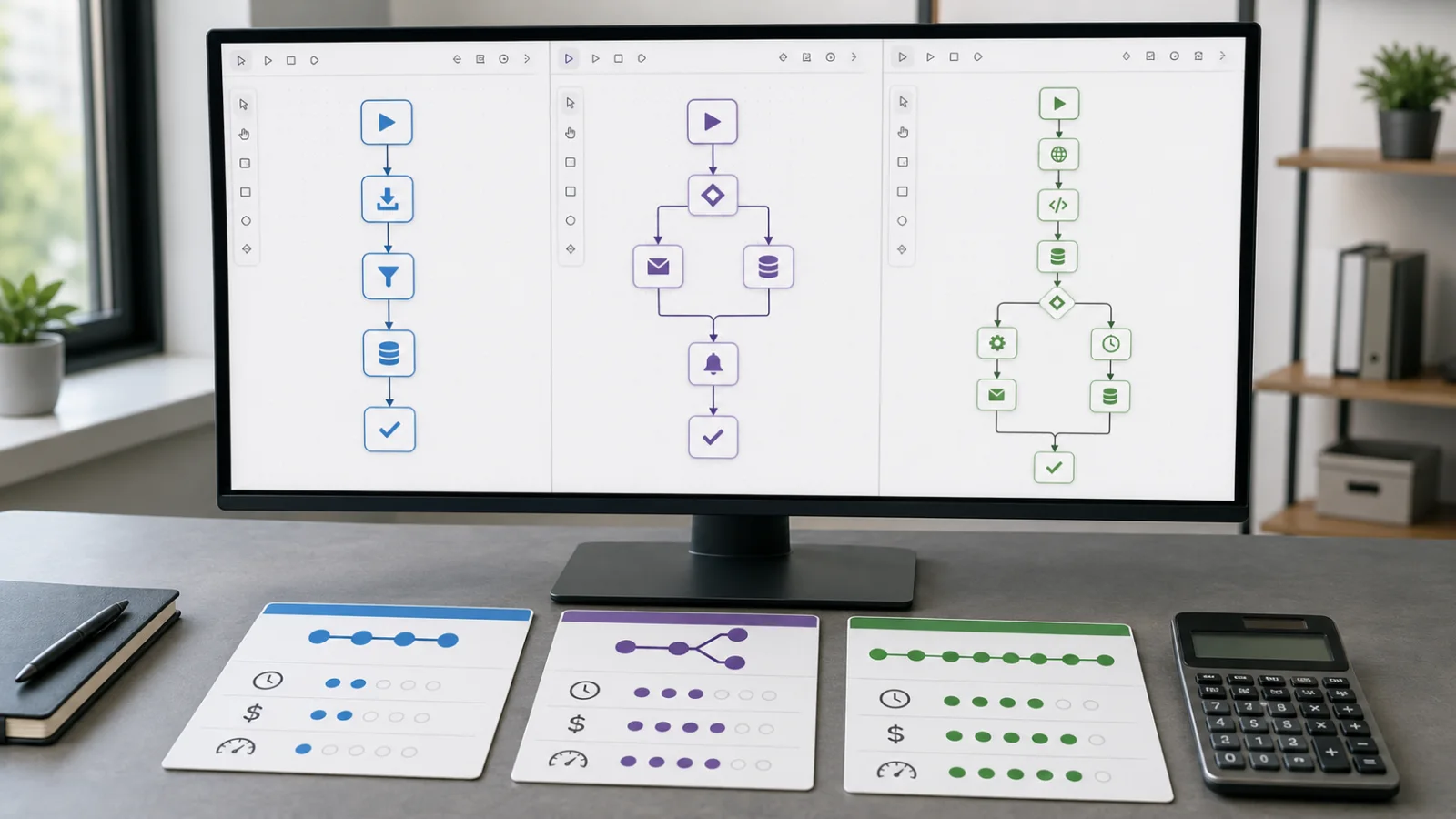
These three tools bill on different units, and the unit is what decides your invoice:
- Zapier charges per task — one action step, executed once. A five-step Zap burns five tasks every time it runs. Triggers and filters are free.
- Make charges per operation, on the same principle. Every module that processes data costs at least one credit, so a five-step scenario costs five per run.
- n8n counts one execution per workflow run, however many nodes are inside it. A five-node workflow and a fifty-node workflow cost the same.
That single difference matters more than any feature comparison, and here is why: on a per-step platform, adding one step to a workflow raises the price of every run you will ever make. On n8n it costs nothing. Which means the right choice is decided by the shape of your automation, and most people choose before they know the shape.
What that looks like with real numbers
Take one workflow: a quote request arrives, gets parsed, the customer is looked up in the CRM, a deal record is created, a reply is drafted from your template, and you get a notification. Five action steps.
| Monthly volume | Zapier (tasks) | Make (operations) | n8n (executions) |
|---|---|---|---|
| 200 requests | 1,000 | 1,000 | 200 |
| 2,000 requests | 10,000 | 10,000 | 2,000 |
| 2,000 requests, one step added | 12,000 | 12,000 | 2,000 |
At 200 requests you are past Zapier's 750-task Professional allowance and into a higher tier; Make's ~$9 Core plan covers 10,000 operations and does not notice you. At 2,000 requests, Make is exactly at its Core ceiling. Self-hosted n8n on a small server — commonly $10–20 a month — has not changed price at any point, and did not change when the sixth step arrived.
Now notice the third row. Adding one step raised the per-step platforms by 20% forever. That is the cost curve nobody models before committing, and workflows only ever grow.
The counter-argument is equally real: n8n self-hosting is free software on a cheap server, and then someone has to run it. Estimates for the maintenance — upgrades, monitoring, restarting it at the wrong moment — commonly land at $75–$150 a month in someone's time. If that someone is you, the "cheap" option is charged in evenings.
The three questions that settle it
Ignore feature lists. These decide it.
How often does it run, and how many steps?
Multiply them. That product, not your plan choice, is your bill. A three-step workflow running 5,000 times and a fifteen-step workflow running 1,000 times are the same cost on a per-step platform, and a 5:1 difference on n8n.
If the honest answer is "about forty times a month", stop worrying about pricing tiers entirely — every option is cheap at that volume, and you should choose on reliability instead.
What does one error cost?
This is the question that reclassifies the whole project, and it is the one most people never ask.
If the workflow moves marketing leads into a spreadsheet, an error costs a lead and mild embarrassment. If it creates invoices, touches inventory, sends anything to a customer, or writes to a system of record, an error costs money and trust, and can be very hard to unwind.
The specific failure to think about is not "it breaks". It is it half-works. A run fails at step four of six: the CRM record exists, the confirmation email never went. Now your data says one thing and your customer believes another. Retry it and, without idempotency built in deliberately, you get two records — or two invoices.
None of the three platforms solve this for you. All three will run a fragile workflow forever without complaint.
Who fixes it at eleven at night on a Friday?
Automations do not fail politely. An API changes, a token expires, a vendor renames a field, and the workflow either stops or — much worse — keeps running and produces nonsense.
The question is not whether you could fix it. It is whether it will be noticed. A broken automation with no alerting is discovered by a customer, usually a fortnight later, usually the wrong customer.
Where each one actually stops
Not marketing weaknesses. The real ceilings.
Zapier stops at cost, at scale and depth. It has the largest app catalogue by a distance and is the fastest thing to get working, which is exactly why it wins the first project. Then the workflow grows to nine steps, the volume triples, overages run at 1.25× your base rate, and the same automation now costs several times what it did. Its error handling is also the shallowest of the three — fine for simple chains, thin once a workflow needs to make decisions about its own failures.
Make stops at complexity you have to see. Its visual builder is genuinely better for branching logic, and it is meaningfully cheaper per unit than Zapier. But a large scenario becomes a diagram nobody can read, and per-operation billing punishes exactly the elaborate scenarios the builder encourages you to draw. It moved to credits as the billing unit in late 2025, so older cost comparisons are stale.
n8n stops at responsibility. Flat per-execution pricing and self-hosting make it far the cheapest at volume, it handles long and complex workflows without punishing you, and your data stays on your own infrastructure — which is sometimes not a preference but a requirement. In exchange, you own a server. Upgrades, backups, monitoring, and the 11pm Friday are yours.
A person stops at frequency and patience. (If you have not yet decided which process to automate, that question comes first — what it actually saves and where is worth settling before choosing a platform.) Genuinely the correct answer when a task is rare, or when it needs judgement that differs case by case. Four times a month at five minutes each is twenty minutes; no automation earns that back. Automation pays where work is frequent and consistent, and "consistent" is the word that gets ignored — a process with fifteen exceptions is not a workflow yet, it is a decision that has not been made.
What commissioning the work actually buys
The platform is the cheap part. What separates a workflow that runs for two years from one that quietly breaks in month three is none of the things a subscription includes:
- Validation before anything is written, so bad input is rejected rather than propagated into your CRM at machine speed.
- Idempotency, so a retry does not duplicate the invoice.
- Retries that distinguish a temporary network blip from an expired credential — one should be retried, the other must stop and shout.
- Alerting that reaches a human when the workflow stops, rather than a failure log nobody reads.
- A logged history, so when a customer says they never got the email, you can answer instead of guess.
- A human approval step wherever money, contracts, or customer-visible messages are involved. The right amount of automation is usually "everything up to the decision".
- Someone accountable in six months, when the vendor changes their API and the workflow that has been running silently since March stops.
Every item on that list is a deliberate choice made while building. None of them appear on a pricing page, and none of them are what you are thinking about on the afternoon you first get the thing working.
So: which one
Rough guidance, stated plainly because "it depends" helps nobody:
- Few runs, few steps, low stakes — Zapier. Fastest to working, and at that volume nothing else matters.
- Branching logic, moderate volume, still low stakes — Make. Better builder, better price per unit.
- High volume, long workflows, or data that cannot leave your control — n8n, provided somebody genuinely owns the server.
- Anything touching money, inventory, contracts, or customer-facing messages — the platform is the smallest decision you will make. How it handles its own failures is the whole job.
- Rare or inconsistent work — leave it manual, and automate the thing next to it instead.
The pattern underneath all of it: people choose a platform first and design the workflow second, then discover the platform's billing unit was the expensive decision. The workflow's shape should pick the platform.
Our Automation Audit is $499 and maps one process end to end — where the hours actually go, which parts are safe to automate and which need a person in the loop, what each option would cost at your real volume, and a fixed quote to build it. It comes off the price of the build if you go ahead. Sometimes the finding is that the process needs deciding before it needs automating, and we will say so.
Sources
Pricing and limits were checked on 2026-07-31 against each vendor's own published plans. These change often — verify before making a decision on them.
- Zapier — pricing. Task-based billing, Free at 100 tasks/month with 2-step Zaps, Professional from roughly $20/month (annual) at 750 tasks, Team around $103.50/month at 2,000 tasks, overages at 1.25× the base rate. Triggers and filters do not consume tasks; each action step does.
- Make — pricing. Operations/credit-based billing; Core from about $9/month for 10,000 operations. Make moved to credits as its billing unit in late 2025, so cost comparisons written before then are stale.
- n8n — pricing and self-hosting documentation. One execution counted per workflow run regardless of node count, which is the distinction the article turns on.
- Self-hosting server cost ($10–$20/month on a small instance) and the $75–$150/month maintenance estimate are the consistent figures across 2026 comparison write-ups rather than a single measured study. Treat the maintenance number as an order-of-magnitude estimate — your own answer depends entirely on whose time it is.
