

 FrameAgain
Take the same photo again—without guessing the frame.
FrameAgain is a reference-first photo overlay camera for recreating old photos and repeating a view over time. Keep a saved reference visible over the live rear camera, move and zoom to line up the composition, capture a clean still, then compare Then & Now.
Submitted for App Store review · Free at launch · iPhone only
A camera built around the reference.
A saved photo is more useful when it can guide the next shot. FrameAgain puts the old frame inside the camera loop, then keeps the clean capture and its history together.
- Guide
- Keep the reference visible while you move and zoom the real camera.
- Compare
- See Then and Now with Wipe, Side by side, or a shareable composition.
- Return
- Keep one reference useful across a Frame, Collection, or Series.
Keep the reference in view.
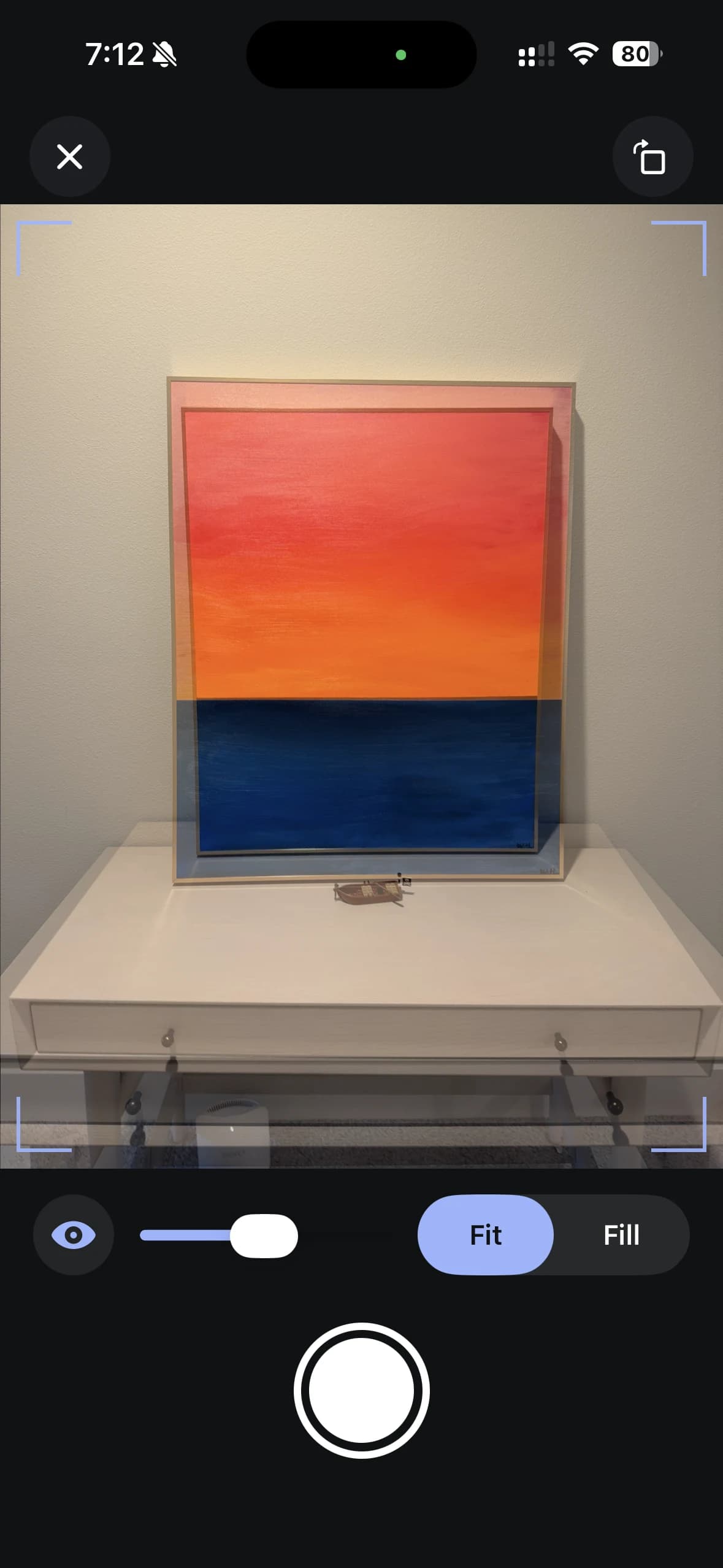
Import one photo from Photos or Files, then use it as a quiet visual guide over the live rear camera. Adjust its visibility, choose Fit or Fill, and move the phone until the scene starts to line up.
- Hold to peek at the live scene without losing the reference
- Pinch to zoom the camera and tap to focus
- Capture a clean still—the guide never becomes part of the photo
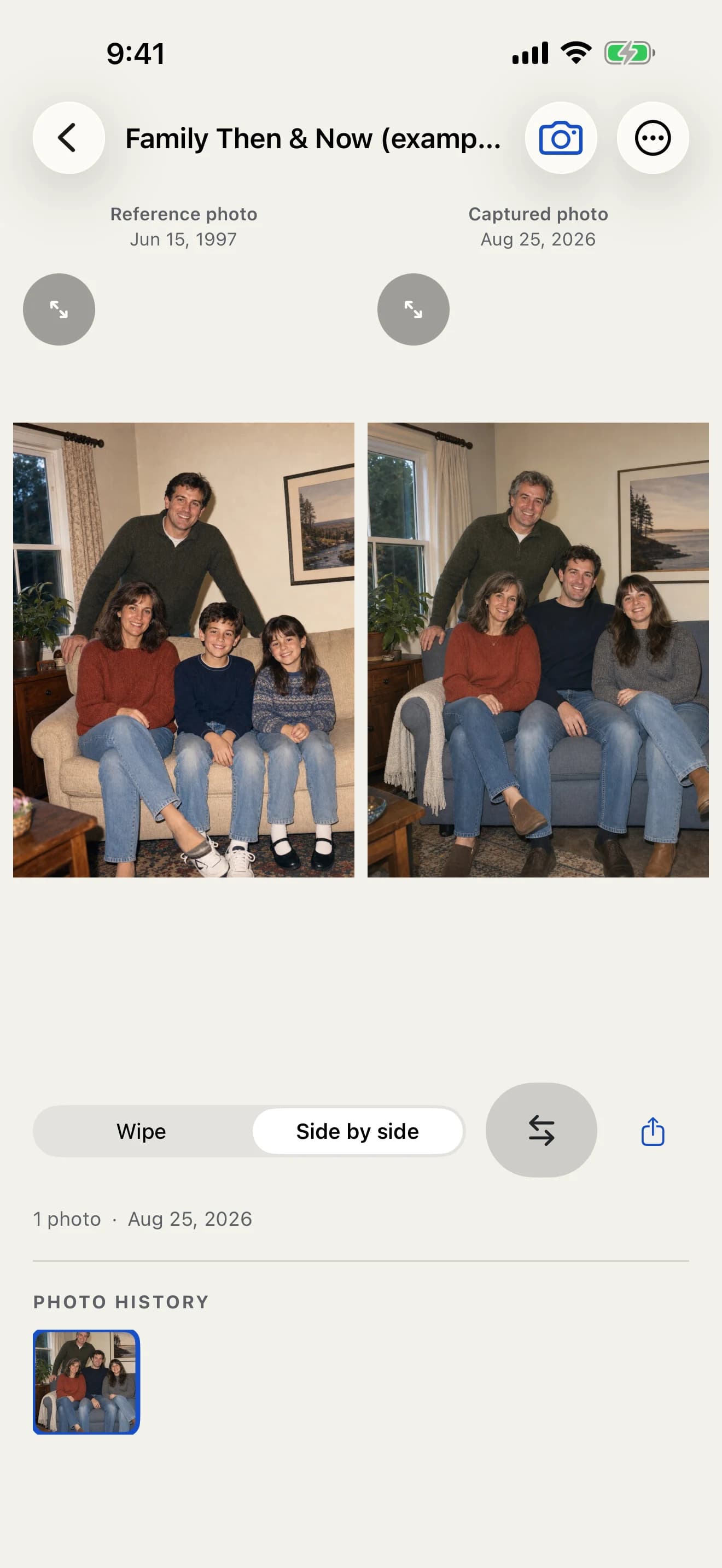
See Then and Now together.
The reference and the new capture become a readable comparison as soon as you shoot. Wipe across the pair, view it uncropped side by side, then share or save the result when it is worth keeping.
Every capture stays attached to the Frame that gave it meaning, so the next return starts with the right image.
Return to the same scene over time.
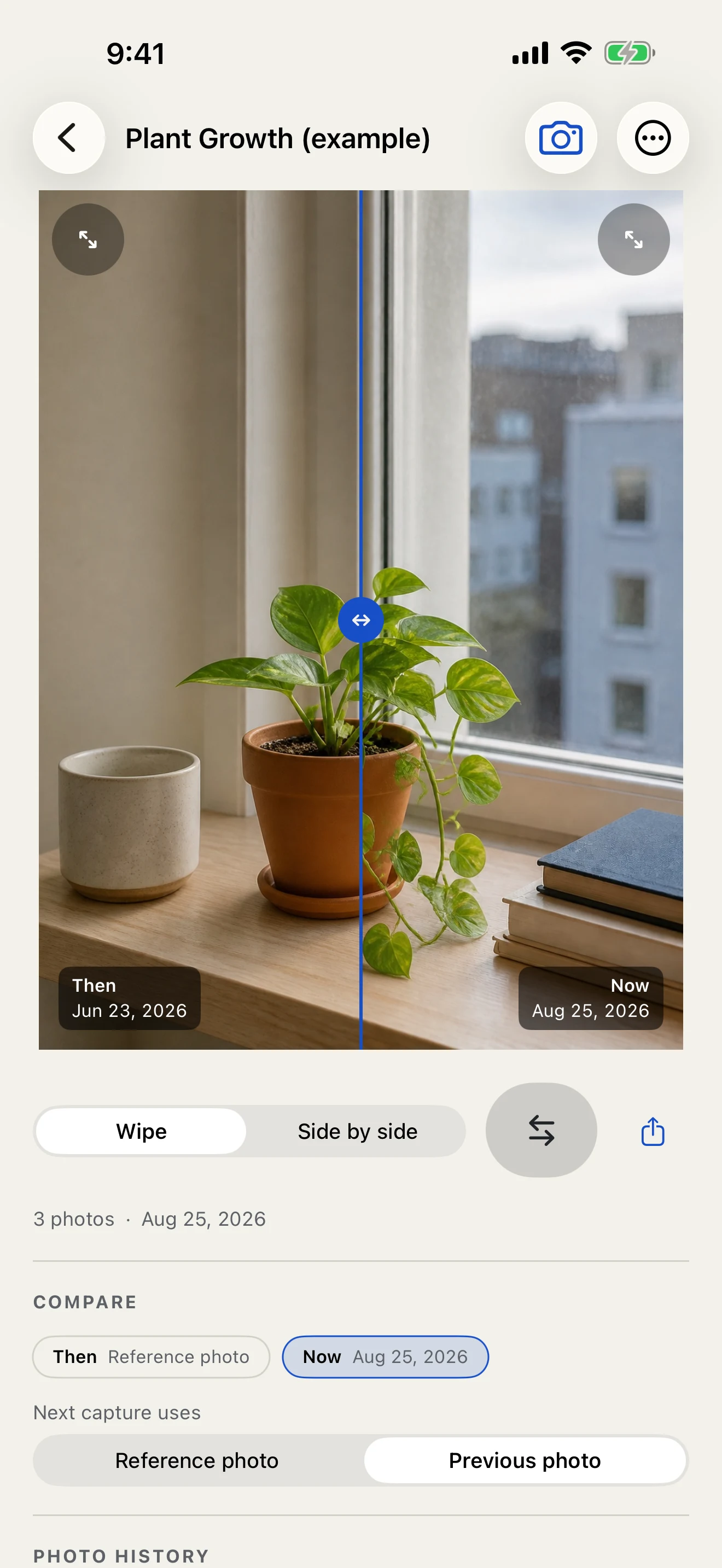
Use a Series for a window, a garden, a building, or any view that changes slowly. Use a Collection for several locations you want to catch whenever the opportunity comes. FrameAgain keeps the project structure around the same camera workflow.
- Keep a reverse-chronological history for one reference
- Compare any two entries in a Series
- Export an ordered sequence when the project is ready
Repeat-photography questions, answered.
What is FrameAgain?
FrameAgain is a reference-first composition camera for recreating old photos, repeating a view over time, and making Then and Now comparisons. It keeps one saved reference visible over the live rear camera while you line up the shot yourself.
How do I recreate an old photo with FrameAgain?
Import the old photo from Photos or Files, open FrameAgain’s camera, adjust the reference visibility, and move or zoom the phone until the scene lines up. Capture the clean still, then compare Then and Now with Wipe or Side by side.
How does the photo overlay work?
Choose a reference photo from Photos or Files, open the camera, and adjust the overlay visibility while you move and zoom the phone. When the live scene is close to the reference, capture a clean still and compare it immediately.
Does the reference overlay appear in the captured photo?
No. The reference is a live camera guide only. FrameAgain commits the camera photo separately, so the saved still is clean and can be compared with the reference afterward.
What can I use FrameAgain for?
Use it for family-photo recreations, travel and architecture photos years later, renovation progress, gardens and seasonal change, a daily view from one window, or any project where returning to the same composition matters.
Does FrameAgain automatically align the photo?
No. FrameAgain keeps the reference fixed and gives you a clear visual guide; you move and zoom the camera to find the composition. It does not promise automatic alignment, AR, or a perfect pixel match.
Can I compare the old and new photos?
Yes. Capture Review and Frame detail support Wipe and uncropped Side by side views, plus a Then & Now composition you can share or save to Photos.
Can I use FrameAgain offline?
Yes. After the reference is available on the iPhone, the camera, local project library, comparisons, and export workflows are designed for offline use. No account or cloud sync is required.
Is FrameAgain available to download now?
FrameAgain has been submitted for App Store review. It is an iPhone-only app, and the public App Store link will appear here after the listing is confirmed live.
Make the next frame easier to find.
Keep the reference ready for the next time the moment comes back.
Submitted for App Store review · The App Store link will appear when the listing is live.