
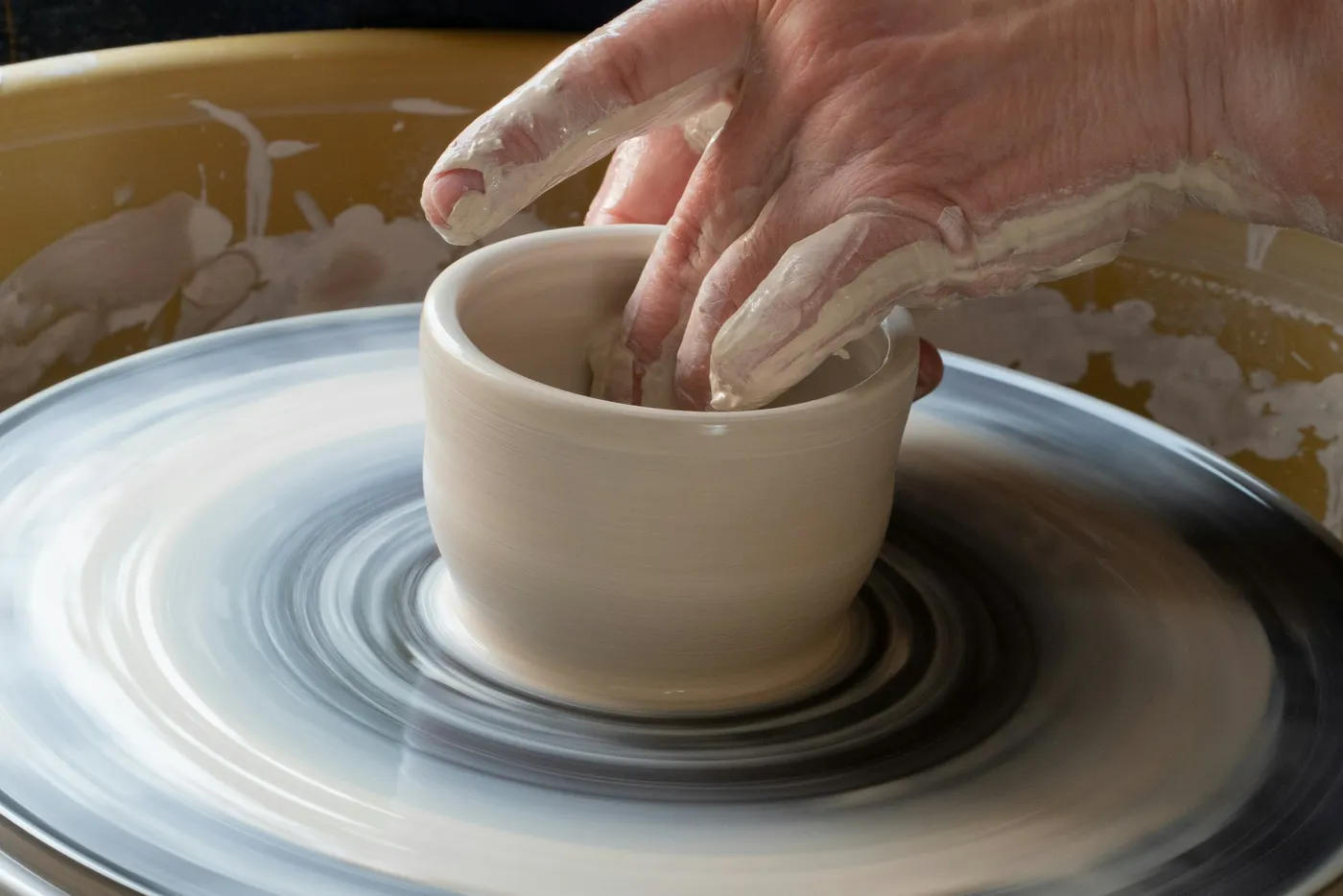
 ClayTrace · Pottery journal
Remember how you made it.
ClayTrace is a pottery journal that keeps each piece's process photos, glaze layers, firing details, and studio notes together—so a result you love is never a one-off mystery.
Free download · iPhone & Android · No account · No Ads
Available in 12 languages
- English
- 日本語
- 한국어
- Français
- Deutsch
- Español
- Italiano
- Português
- Nederlands
- Polski
- 简体中文
- 繁體中文
A pottery journal built around the piece.
ClayTrace connects the photo, process, materials, firing, and lesson behind each result. It gives potters a faster studio capture flow than a spreadsheet and more useful context than a camera roll.
- Capture
- Save the studio moment first, then organize it when your hands are clean.
- Trace
- Keep repeatable stages, glaze order, coats, clay, firing, and notes together.
- Learn
- Search and reverse-lookup the pieces behind a material or technique.
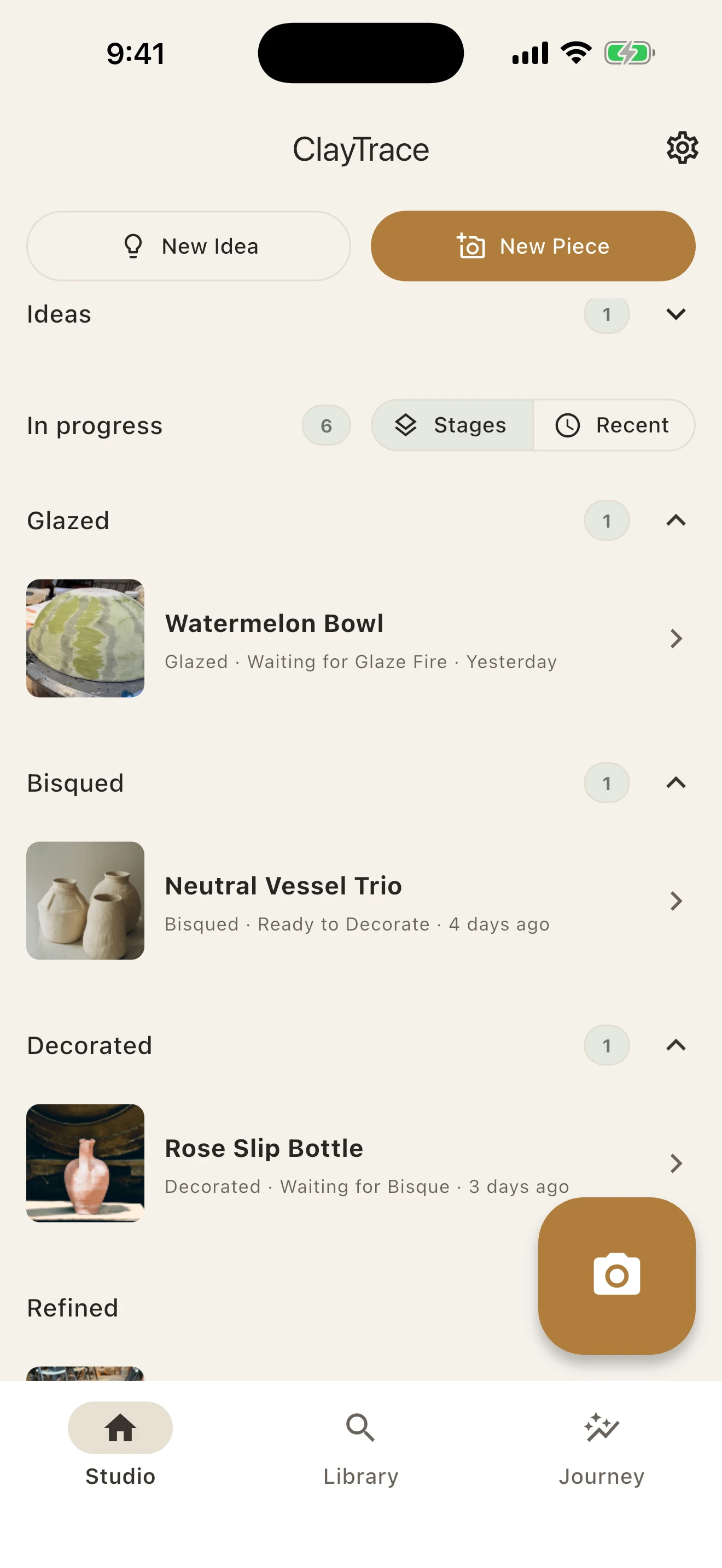
Muddy hands now. Details later.
Capture the studio moment first. Start a new piece, attach the photo to work in progress, or leave it in your Inbox until you are ready to organize it.
Ideas stay separate from active work. Studio can follow stages or recency.
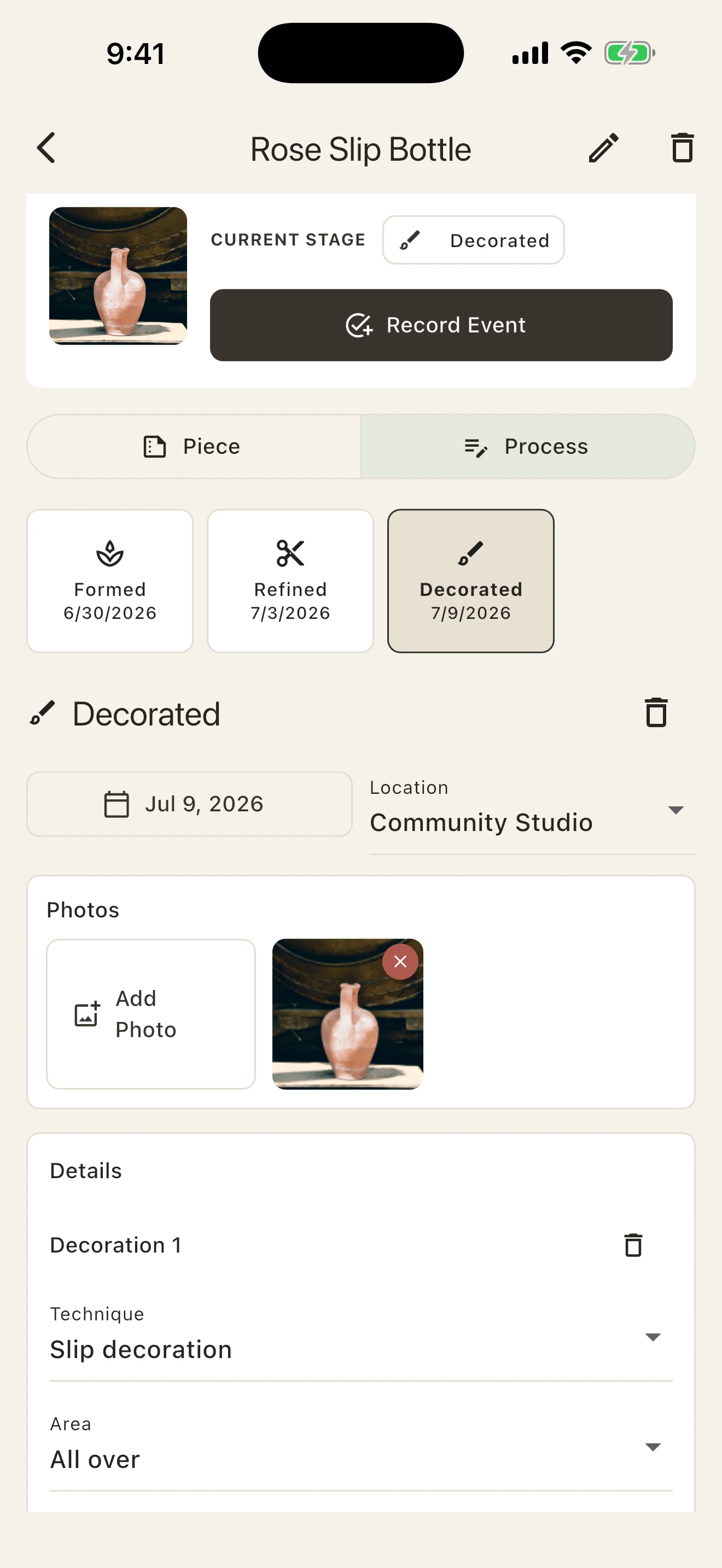
Every step stays with the piece.
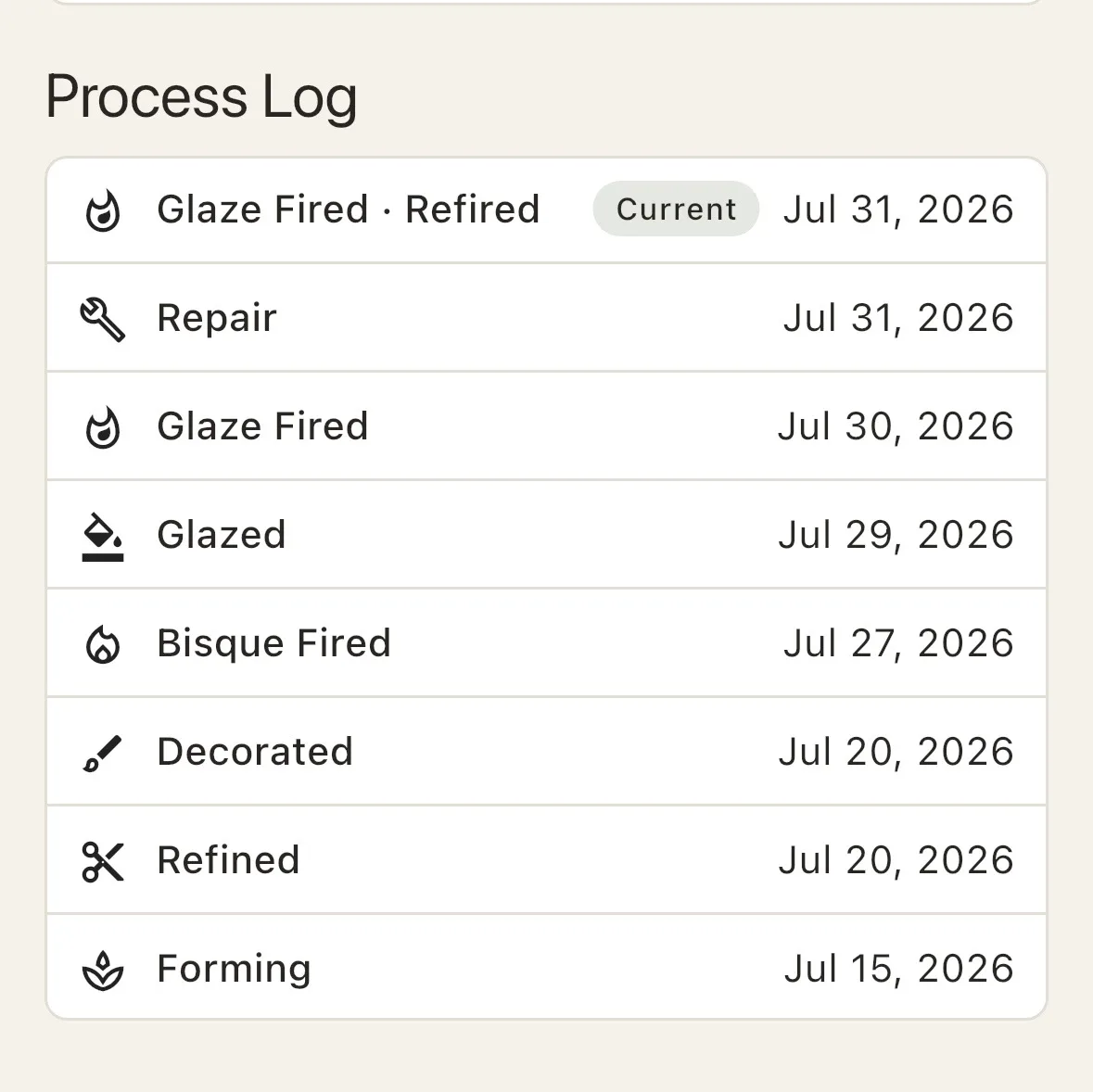
Formed, refined, decorated, glazed, fired—build a visual process history as the work changes. Dates, photos, location, techniques, and notes stay beside the stage where they mattered.
Real work rarely runs in a straight line. Add the stages a piece actually went through, in the order they happened—a repair after a firing, a second glaze, a refire weeks later. Nothing is skipped because it did not fit a fixed sequence.
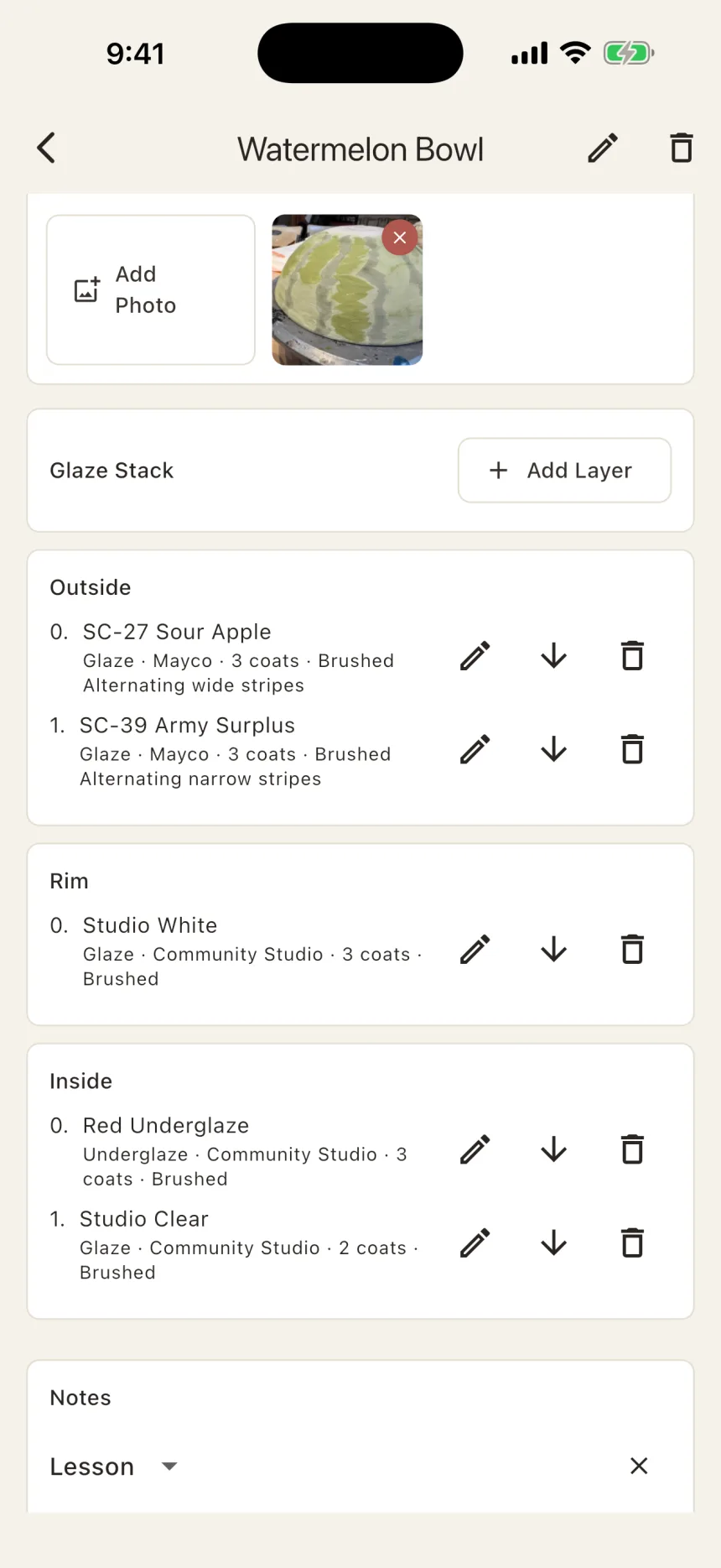
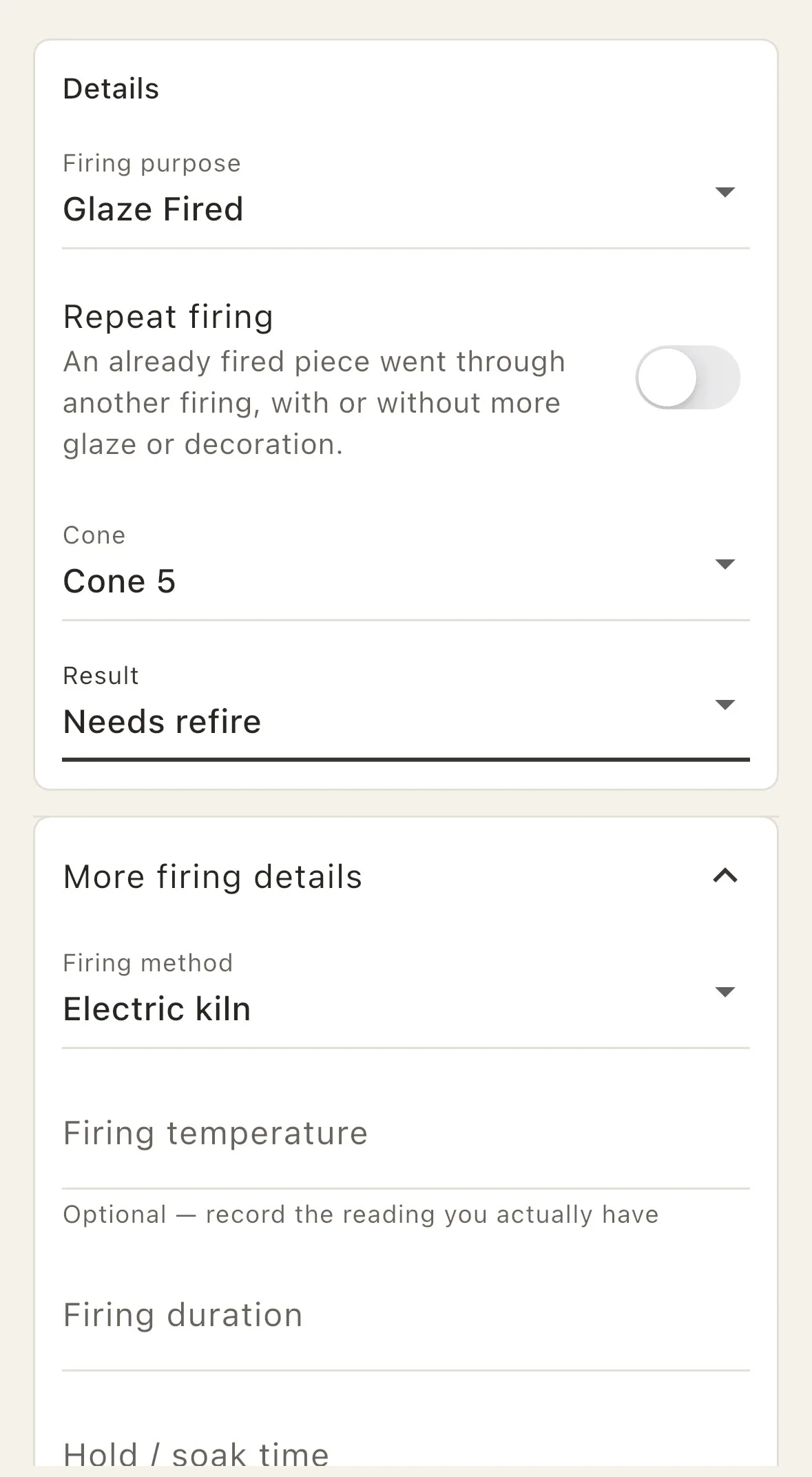
Keep the recipe with the result.
You love the glaze. Do you remember the order?
Record layers by area, coats, brand, application method, and notes. The work photo stays at the top, so the recipe never loses sight of the result you were trying to understand or repeat.
Firings go as deep as you need them to—cone and temperature kept as separate readings, method, duration, hold, atmosphere, salt or soda. One tap when you are busy, the full picture when the kiln is what you are trying to understand.
A studio memory you can search.
Find every piece where you used that glaze.
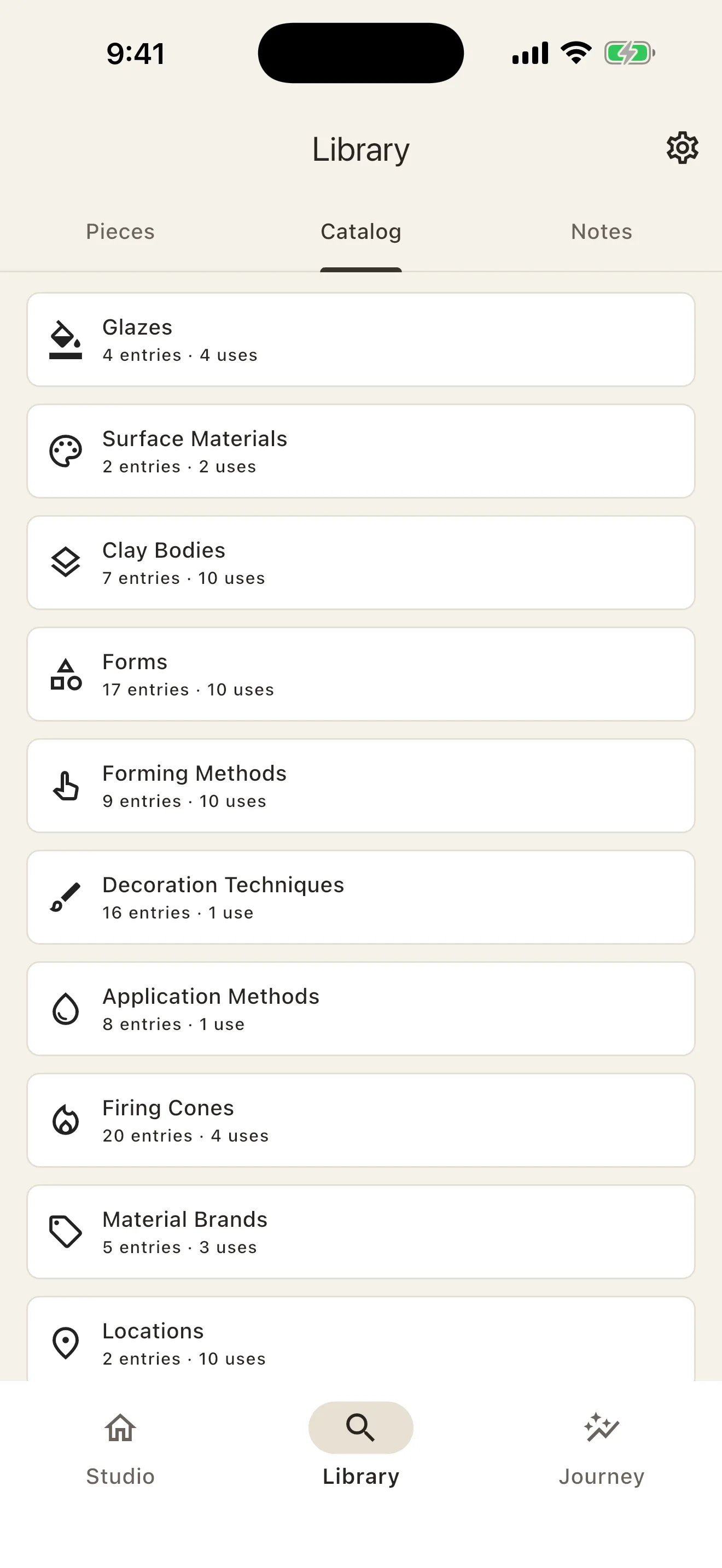
Browse works visually or as a list, search notes, and trace glazes, surface materials, clay bodies, forms, methods, cones, and brands back to the work where you used them.
- Photo-led Library with search, filters, and sort
- Catalog categories with entry and usage counts
- Reverse lookup from any material or technique to the pieces that used it
- Notes and lessons that stay connected to the process
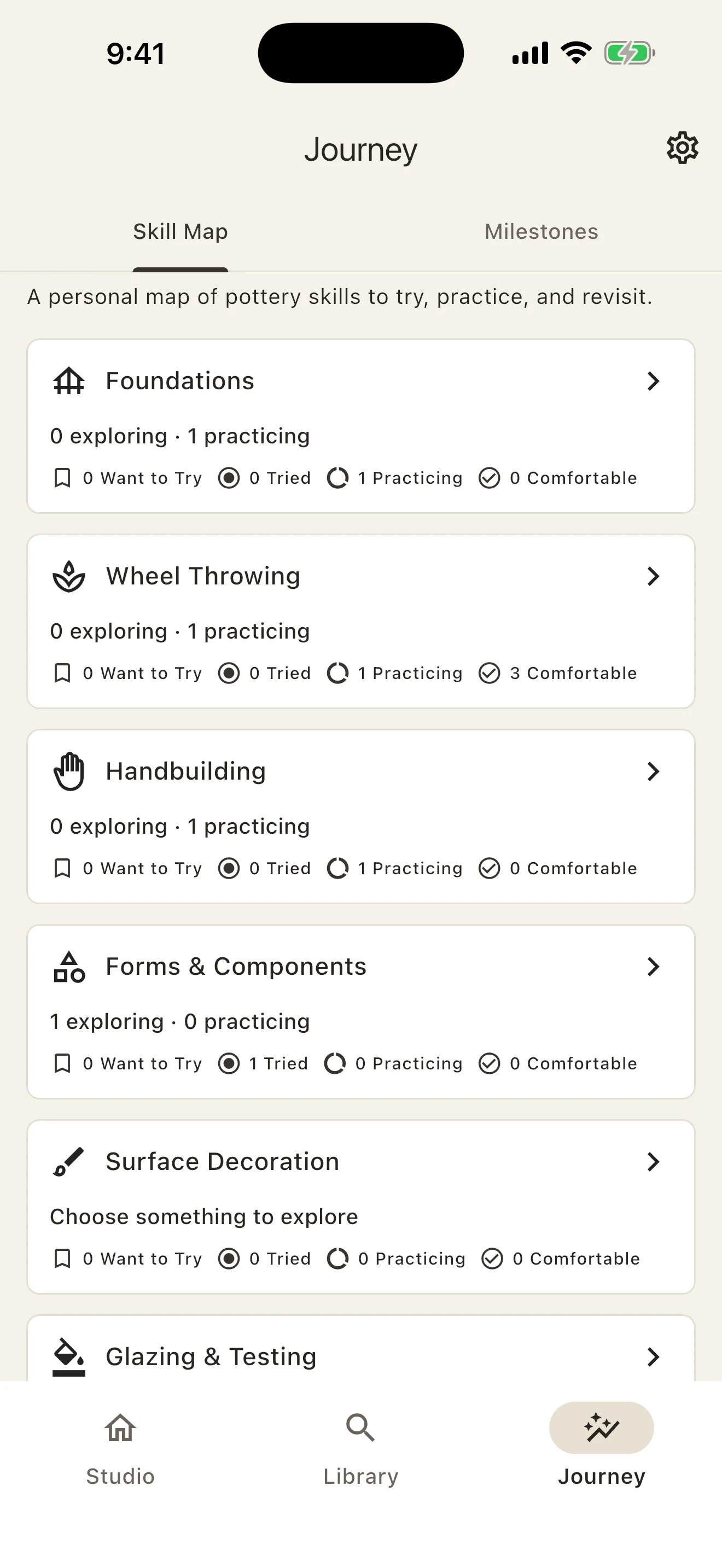
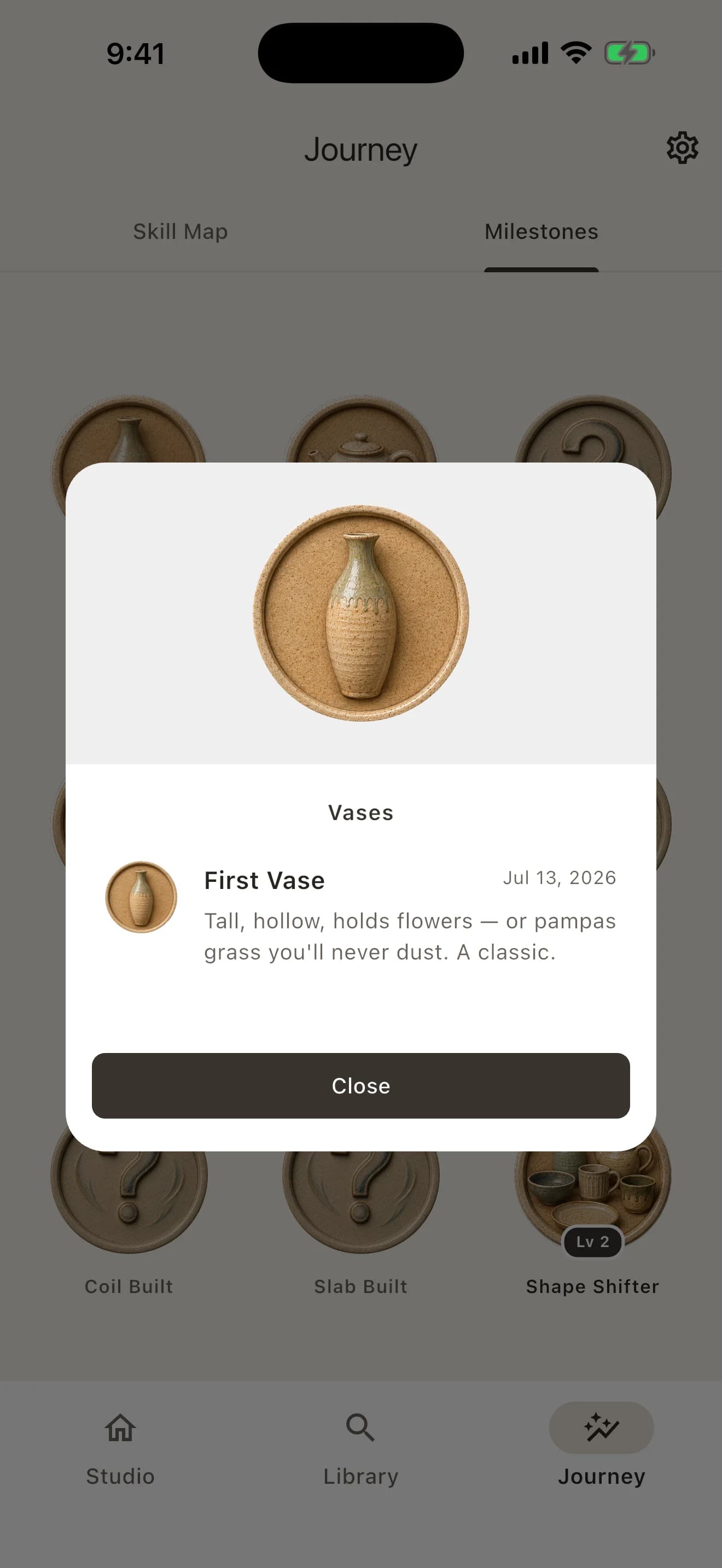
See the practice behind your progress.
Use the Skill Map to mark what you want to try, have tried, are practicing, or feel comfortable with. Link real works and process events as evidence. Milestones then surface the firsts and turning points already inside your archive—with the work that made each moment real.
Finished pieces can also keep their next chapter—kept, gifted, sold, or another destination—without turning your pottery journal into inventory software.
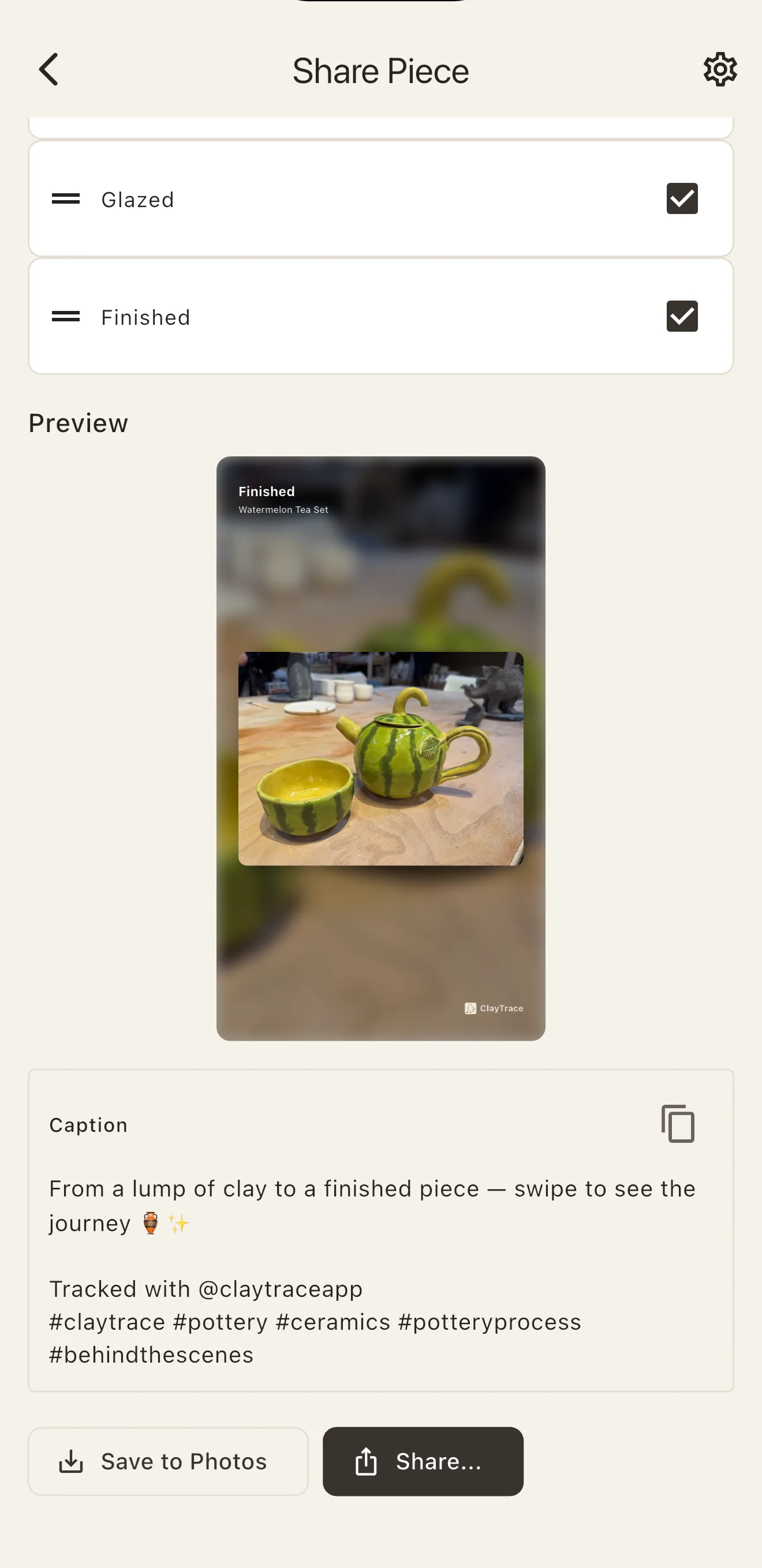
Right from the app.
Sharing your pottery has never been easier.
Turn a finished piece and its process photos into a ready-to-share card or vertical process slides in seconds. Pick the stages worth showing, see the preview, and share.
A caption comes written and ready to edit. Save the visuals to Photos, copy the caption, or share from the app.
ClayTrace Studio Pro
When your shelf fills up, Studio Pro keeps up.
Everything above stays free. Studio Pro adds four tools for potters who make a lot. Try it free for 7 days—or, if subscriptions aren't your thing, make it yours with one Lifetime purchase: pay once, never renews.
- Shrinkage planner
- Know the finished size before it's fired, from how your own clay shrinks.
- Work Tags
- Group pieces your way—a series, a commission, a market—and filter in one tap.
- Compare
- Put two pieces side by side and see exactly what changed.
- Defaults
- Start each new piece with your usual form, clay, and cones already filled in.
Pottery journal questions, answered.
What is ClayTrace?
ClayTrace is a pottery journal and ceramics tracker for iPhone and Android. It keeps each piece’s photos, process steps, glaze layers, firings, materials, and studio notes together in a searchable record.
What can I record in ClayTrace?
You can record pottery ideas, works in progress, process photos, clay and forming details, decoration, ordered glaze layers, firing details, finished results, materials, studio lessons, skills, milestones, and where a finished piece went.
Who is ClayTrace for?
ClayTrace is for potters and ceramic artists at every stage—from a first class or community-studio practice to an independent or professional studio. Use only the details that help you now, then build a deeper process archive as your practice grows.
Can I search past pieces by glaze, clay, technique, or firing?
Yes. ClayTrace connects catalog entries back to the pieces where you used them. Search and filter your Library, review usage counts, and trace glazes, surface materials, clay bodies, forming methods, decoration techniques, cones, and brands.
Is ClayTrace available on iPhone and Android?
Yes. ClayTrace is available for iPhone on the App Store and for Android on Google Play.
Does ClayTrace require an account or internet connection?
No. ClayTrace is local-first, works offline, and does not require an account. Your pottery records and app-private photos stay on your device, so you can capture and review studio work without a network connection. A free Export and Restore archive moves your whole journal to a new phone.
Which languages does ClayTrace support?
ClayTrace supports 12 languages: English, 日本語, 한국어, Français, Deutsch, Español, Italiano, Português, Nederlands, Polski, 简体中文, and 繁體中文.
Is ClayTrace free?
Yes. ClayTrace is free to download, and the journal itself is complete: unlimited pieces, every recording field, search, and a free Export and Restore archive. Studio Pro is optional and adds the shrinkage planner, Work Tags, Compare, and new-piece defaults. Try it free for 7 days, subscribe monthly, or make one Lifetime purchase that never renews. Your own records are never put behind payment.
Does the free version limit how many pieces or glaze layers I can record?
No. There’s no cap on the number of pieces you can save, no limit on glaze or surface layers per piece, and no basic recording field—like coat count—held back. The free journal is the complete product, not a trial of it.
The next time a piece works, remember why.
Start with the piece already on your shelf.