
LifeVenContact us
inspection appfield data collectioncompliance recordsPublished

Digitizing Inspection Records: What Has to Work in the Field

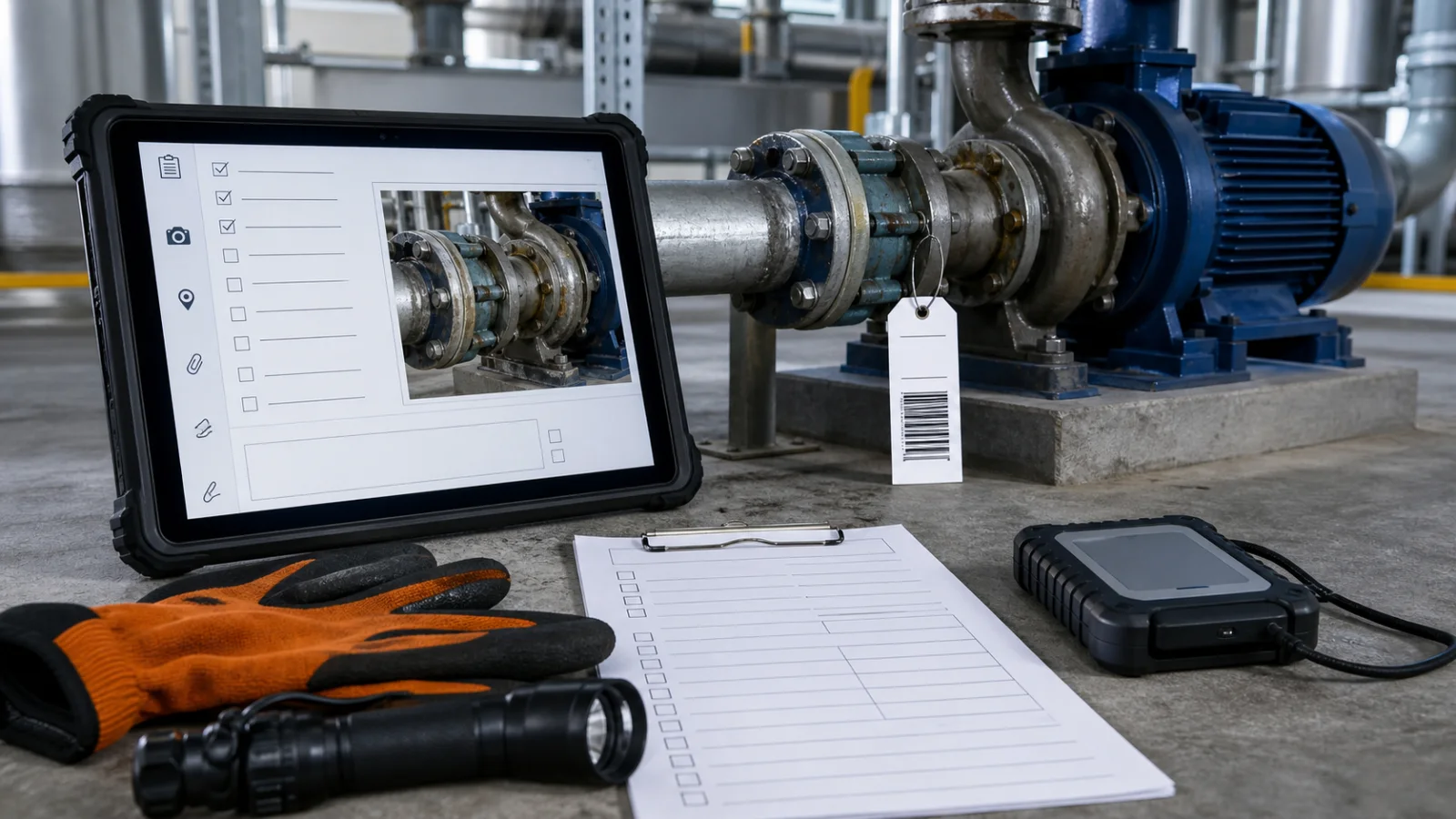
Digital inspection records with a rugged tablet, photo evidence, checklist, barcode tag, and offline storage

Eleven months after the job, a claim arrives. Somebody says the guard rail was not in place.

What settles it is not your checklist. Nobody disputes that a box was ticked — they dispute what the box meant, and who ticked it, and when. What settles it is a photograph of that rail, taken on that morning, tied to that line item, with a time nobody could have adjusted afterwards.

If you cannot document it, a regulator treats it as if it never happened. The same is true of an insurer, and of the other side's lawyer. Which means the thing you are building is not a form. It is evidence, and it has to survive being doubted by someone who was not there.

That reframing decides almost every design question that follows.

Your records outlive your software

Start here, because it constrains everything and almost nobody thinks about it when choosing a tool.

Retention periods for this kind of record are long, and some are very long. OSHA's 300 Log runs to five years. Powered industrial truck training records run to three. General safety training is a one-year minimum. And exposure monitoring and medical records run to the duration of employment plus thirty years.

Thirty years past someone's last day. No app you choose this year will still be running in that form. The vendor may not exist. The subscription will certainly have been renegotiated. The file format may be a curiosity.

So the first question to ask about any system is not what it captures. It is: when this system goes away, what do I still have, and can somebody read it without your software?

This is why record-keeping projects and ordinary software projects have different shapes. In most software, the application is the asset. Here the application is the least durable part, and the archive is the asset.

What makes a record hold up

Four things, and only the first is obvious.

The photograph is the record. The checkboxes are an index to it. When something is contested, everyone goes to the pictures — so photographs cannot be a loose gallery on someone's phone, they have to be bound to the specific item they evidence. Teams that digitise the form and treat photos as an attachment afterthought usually rebuild within about a year, because the first real dispute proves the photos were the point.

The time has to come from somewhere the user does not control. If the timestamp on a record is the device clock, it proves nothing — a phone's clock can be changed in fifteen seconds. A record whose time was assigned by the server on receipt, with the device's own claimed time kept alongside it, is a very different object in a dispute. This distinction almost never appears in a requirements list and is close to impossible to retrofit.

A named person, not a shared login. "Recorded by the site tablet" is not an answer to "who inspected this". One account per person is a small operational annoyance and the difference between a record that identifies a witness and one that identifies a device.

It has to be tamper-evident. Not un-editable — corrections are legitimate and people make genuine mistakes. But a correction must be visible as a correction, with the original still there and who changed it recorded. A system that lets yesterday's entry be silently rewritten produces records that are worth roughly as much as no records at all, and worse, everyone believes they have documentation until the moment it is examined.

Offline is not a feature

It is the architecture, and getting this wrong is the most common way these projects fail quietly.

The places inspections happen are the places signal does not reach: basements, plant rooms, lift shafts, inside steel structures, rural sites, underground car parks. So the app has to treat "no connection" as the normal case rather than an error state.

The naive version — capture, then upload, and retry if it fails — loses data. The failure looks like this: someone completes twenty minutes of work in a plant room, hits save, sees a spinner, gets called away, and the operating system reclaims the app to free memory. The work is gone, they do not find out until later, and after that happens twice they go back to paper and tell you the app does not work. They will be right.

What actually holds is a local-first design: the record is written to the device first and is complete there, and syncing is a separate process that reconciles when a connection appears. That also means thinking about conflicts up front — two people editing the same asset offline is not an edge case in field work, it is Tuesday.

This is worth being blunt about because it is the single biggest gap between a demo and a system: a demo works on office wifi.

The export is the actual deliverable

Nobody outside your company will ever log into your system. Not the inspector, not the insurer, not the client's lawyer, not the auditor.

What they will ask for is a document — usually a PDF, sometimes a spreadsheet, occasionally a specific regulator's format — covering a date range, for a site, with the photographs embedded rather than linked. If producing that takes an afternoon of manual assembly, you have built a data entry system rather than a record-keeping system, and the pain simply moved to a different desk.

Two practical tests worth applying to anything you are shown:

  • Can it produce the exact document your regulator, insurer or biggest client actually asks for, without a person assembling it?
  • If your subscription lapsed tomorrow, could you leave with everything — records, photographs at full resolution, and the history of who changed what — in a form somebody could read without the vendor?

If the honest answer to the second is no, the retention requirement above has not really been met, whatever the marketing says.

The good news: you are probably not migrating anything

This surprises people, and it is where these projects differ from replacing an internal system.

Records created under the old process remain valid under the old process. A binder of signed paper from 2023 is still a binder of signed paper. Nobody requires it to be re-keyed into a new system, and re-keying it would, if anything, make it less defensible — a retyped record is a copy of unclear provenance, while the original is the original.

So the sensible shape is: pick a date, capture properly from that date forward, keep the archive as an archive, and scan on demand if anyone ever needs a specific old record.

That matters commercially as well as practically. The most expensive and least predictable part of most software projects is moving years of inconsistent history into a new structure. Record-keeping projects can usually skip it entirely, which is why a well-scoped one tends to land closer to its estimate than most software work does.

When paper is genuinely fine

Worth saying plainly, because the answer is not always software.

Paper is fine when the volume is low, nothing downstream depends on retrieval speed, and nobody has ever needed to find a specific record in a hurry. A binder that gets filled in twice a month and has never been asked for is not a problem to solve.

A generic forms app is fine when you need structure but the records carry no real consequence — internal habit, tidiness, a checklist that keeps the routine consistent. There is no reason to commission software for that.

The point at which this changes is specific and recognisable: when a record has to survive being doubted. The moment your documentation might be examined by a regulator, an insurer, or an opposing lawyer, the requirements above stop being nice-to-haves and start being the entire job.

What to ask before commissioning anything

Five questions. They separate a system that will hold from a nicely designed form:

  1. Where does the timestamp come from, and can a user influence it?
  2. What happens to twenty minutes of work if the app is killed before it syncs?
  3. Are photographs bound to line items, and are they kept at original resolution?
  4. Can a past entry be changed without leaving a trace?
  5. On the day we leave, what do we walk away with, and who can read it?

Anyone who answers those five crisply has built this before. Anyone who treats them as edge cases has not.


Our Discovery step is $1,500 and produces a written specification: exactly what has to be captured, what evidence each record must carry, how it behaves with no signal, the export the outside world will ask for, and a recommendation on whether an off-the-shelf tool already covers you — sometimes it does, and we will say so. Fully credited against a build, and the document is usable by any implementation team, including one that isn't us.

On question five, our own answer is the same one we would want: the code, the data, and the accounts are in your business's name from the first day, and the export exists before launch rather than being added when someone finally asks for it. Given the retention periods above, a record-keeping system you cannot leave is not really a record-keeping system.

The reason we take this shape of work seriously: our own ClayTrace and ReinTrace are local-first apps on both stores, where records live on the device and stay intact regardless of connection, and where we are deliberately precise about what is and is not backed up. Building for people who cannot rely on a network is the same discipline.

Related: if the problem is less about evidence and more about several people needing the current state at once, that is a different diagnosis.

Sources

  • OSHA — Compliance Records directive and Records Management Program. Source of the principle that photographs and recordings made during an inspection become part of that inspection's record and inherit its disposition period.
  • Retention periods cited (OSHA 300 Log at five years; powered industrial truck training at three; general safety training at a one-year minimum; exposure monitoring and medical records at duration of employment plus thirty years) are drawn from published OSHA recordkeeping summaries. Requirements vary by jurisdiction, industry and record type, and change — confirm the periods that apply to you against the current regulation rather than this page.
  • The design observations — server-assigned timestamps, tamper-evident history, local-first capture, export portability — are from building and maintaining our own local-first applications, not from a published study.

Checked 2026-07-31.

Common questions

What should an inspection app actually do?
Capture evidence that will still stand up months later: photographs tied to the item being recorded, a time that did not come from a device clock anyone can change, an identified person, and a record that cannot be quietly edited afterwards. The checklist is the easy part. Whether the record holds up in a dispute is what you are really building.
Does a field data collection app need to work offline?
Almost always, and it changes the whole build rather than adding a feature. Basements, plant rooms, steel structures and rural sites have no usable signal, so the record has to be saved and complete on the phone itself, with the upload handled separately whenever a connection returns. An app that simply retries a failed upload will lose work the first time someone gets called away and the phone closes the app to free memory.
How long do inspection and safety records have to be kept?
It varies widely and some periods are very long. OSHA's 300 Log runs to five years, powered industrial truck training to three, general safety training to a minimum of one, and exposure monitoring and medical records to the duration of employment plus thirty years. Photographs taken during an inspection become part of that inspection's record and inherit its retention period.
Do I need to move my old paper records into a new system?
Usually not, and it is normally the wrong place to spend money. Records created under the old process stay valid under the old process. Start capturing properly from a chosen date, keep the archive as an archive, and you avoid the most expensive and least predictable part of these projects — which is re-entering years of inconsistent history.
Can I just use a generic forms app for inspections?
For simple checklists with no real consequence, yes, and you should. Generic tools stop being enough when the record has to survive being doubted — in a dispute, a claim, or an audit. At that point you need photographs attached to the specific item they prove, a history where any later correction is visible as a correction rather than a silent rewrite, records that outlive the subscription, and an export in the exact shape an inspector or insurer asks for.

Outgrown the spreadsheet?

A tool shaped around how you already work, with roles, history, and search — so the file everyone is afraid to touch stops being a single point of failure.

Explore Apps & Business ToolsMore Articles